Quick Answer
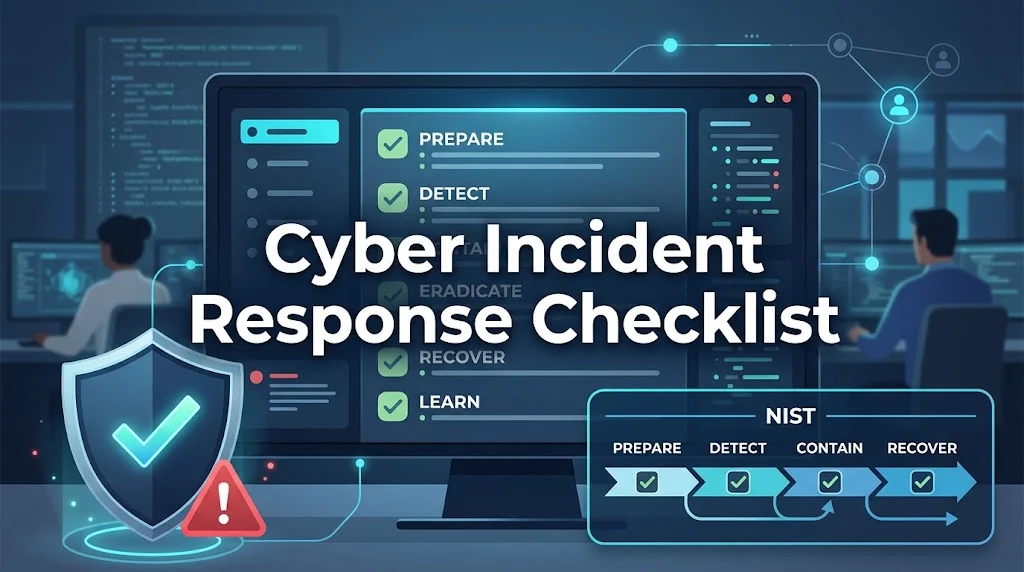
A cyber incident response checklist is a structured document that outlines the predefined steps, roles, and decisions security teams follow during an active incident. It follows the NIST phases: preparation, detection and analysis, containment, eradication and recovery, and post-incident activity. Organizations with tested checklists contain breaches faster and save over $1.5 million per incident.
A ransomware note appears on a file server at 2 a.m. on a Saturday. Your on-call technician gets the alert. What happens in the next 15 minutes determines whether this becomes a contained incident or a business-ending disaster. The difference comes down to one thing: whether your team has a tested checklist or improvises under pressure.
Cyber incidents do not wait for business hours. They do not follow a convenient schedule. They exploit the gaps between preparation and panic. IBM’s 2026 Cost of a Data Breach Report found that organizations took an average of 183 days to identify a breach and another 64 days to contain it. That is 247 days of an attacker operating inside your environment.
A cyber incident response checklist turns that chaos into a repeatable process. It defines who does what, when, and in what order. It removes hesitation during the first critical minutes and It ensures critical actions are not overlooked, from isolating compromised systems to preserving forensic evidence to notifying regulators within legal deadlines.
This guide provides a phase-by-phase checklist aligned with the NIST SP 800-61 framework. It covers preparation, detection, containment, eradication, recovery, and post-incident activity. It includes communication templates, severity classification guidance, and the most common mistakes that derail response efforts.
What Is a Cyber Incident Response Checklist?
A cyber incident response checklist is a structured document that outlines the predefined steps, roles, responsibilities, and decisions security teams follow when responding to a security incident. Unlike an incident response plan, which defines the overall strategy and governance, a checklist serves as an operational guide during an active investigation. It helps ensure response activities are performed consistently and teams move efficiently from detection through recovery.
A checklist is not a replacement for a full incident response plan. The plan defines policy, roles, and escalation paths. The checklist is what your team grabs when the alert fires. It is the operational playbook that lives on the wall or in a shared drive, ready to be followed step by step.
Different incident types require different checklists. Organizations often maintain separate playbooks for ransomware, phishing, data breaches, business email compromise, insider threats, and DDoS attacks. A ransomware checklist focuses on isolation and backup restoration. A phishing checklist focuses on credential rotation and user awareness. A data breach checklist focuses on regulatory notification and evidence preservation.
The core structure, however, remains the same. Every checklist follows the same lifecycle: preparation, detection and analysis, containment, eradication and recovery, and post-incident activity.
The NIST Incident Response Framework
The NIST framework is the most widely recognized standard for incident response. NIST SP 800-61r3, the latest revision, aligns with the Cybersecurity Framework (CSF) 2.0 and emphasizes a continuous, role-based, and risk-driven approach. The framework defines four phases:
Preparation. Establish incident response policies, plans, roles, escalation procedures, and communication processes before an incident occurs.
Detection and analysis. Identify that an incident has occurred, determine its scope, and understand how it happened.
Containment, eradication, and recovery. Stop the attack from spreading, remove the threat, and restore normal operations.
Post-incident activity. Review what happened, document lessons learned, and update your plan.
Organizations that follow a structured framework respond faster and more effectively than those that improvise. The SANS Institute offers a similar six-step process: preparation, identification, containment, eradication, recovery, and lessons learned. The core phases are the same. The NIST framework simply groups containment, eradication, and recovery together because they often overlap in practice.
Phase 1: Preparation Checklist
Preparation is the most important phase. Organizations with tested incident response plans save over $1.5 million per breach compared to those without. The difference is not just having a plan on paper. It is having one your team has practiced.
Team Readiness
- Incident response team roles assigned with documented responsibilities
- Incident Manager designated with authority for containment decisions
- Off-hours contact information current for all team members
- Escalation paths documented (who calls whom, when)
- External contacts established: legal counsel, forensics vendor, law enforcement liaison, cyber-insurance carrier
Without clear roles, minor delays multiply into bigger costs. Every incident needs an incident commander who owns decision authority, a technical lead who directs investigation and containment, a communications lead who manages stakeholder updates, and a scribe who records the timeline in real time.
Documentation
- Offline contact lists printed and accessible (phone numbers, not just emails)
- Current network diagrams available without network access
- System baselines documented for anomaly comparison
- Incident classification criteria defined (P1/P2/P3 severity levels)
- Client-specific runbooks created (for MSPs) or business unit procedures documented (for corporate IT)
The BSI organisational checklist emphasizes keeping calm and not acting hastily. It recommends setting up a crisis team, assigning roles and responsibilities, and gathering as much information as quickly as possible to allow informed decisions. It also stresses the importance of an offline contact list. If your email and chat systems are compromised, you need phone numbers on paper.
Technical Preparedness
- EDR deployed with behavioral analysis enabled
- SIEM configured to correlate events across systems
- File integrity monitoring active on critical systems
- Backup verification tested within last 30 days
- Forensic tools staged: packet capture, disk imaging, memory analysis
- Clean system images current and tested
- Isolated recovery environment available
Backups are the single most important technical control. If your backups are compromised, your recovery options collapse. Verify that backups are offline, immutable, and tested. A backup you cannot restore is not a backup.
Testing
- Tabletop exercise completed within last quarter
- Backup restoration tested with documented RTO results
- Communication channels tested (including out-of-band options)
Conduct quarterly tabletop exercises using realistic attack scenarios: ransomware, data exfiltration, and third-party breaches. Third-party breaches jumped 60% year over year, reaching 48% of all confirmed incidents. Most tabletop programs ignore this scenario entirely. When the real call comes, they freeze.
Phase 2: Detection and Analysis Checklist
Effective threat detection depends on correlating signals across your environment, not chasing individual alerts in isolation. The first 15 minutes after an alert set the trajectory for the entire response.
Initial Assessment (First 15 Minutes)
- Alert validated (confirmed not a false positive)
- Affected systems identified
- Incident severity classified (P1/P2/P3)
- Incident Manager notified for P1/P2 incidents
- Timeline started with first indicator timestamp
Severity classification drives the urgency and resourcing of the response. A P0 critical incident, such as active data exfiltration or ransomware affecting production, requires immediate response within 15 minutes, with the incident commander, CISO, legal, and executive leadership all engaged. A P2 medium incident, such as a vulnerability discovered but not yet exploited, can be investigated within four hours.
Scope Determination
- Lateral movement indicators checked
- Additional compromised accounts identified
- Data exfiltration indicators reviewed
- Attack vector identified (phishing, exploit, credential compromise, insider threat)
The goal is to understand how far the attacker has spread. Check authentication logs for signs of lateral movement. Look for new accounts created, privilege escalations, and unusual access patterns. The TT-CSIRT ransomware guide recommends investigating server-side encryption activity by checking sessions and open files on servers, file ownership, and ransom notes to map which users or systems are involved.
Evidence Collection (Before Containment)
- Memory dump captured from affected systems
- Network traffic logs preserved
- Authentication logs exported
- Screenshots of indicators captured
- Chain of custody documentation started
Evidence preservation is critical. Do not reboot compromised systems. Rebooting destroys volatile memory and forensic evidence. Disconnect from the network instead. Take full forensic images including memory dumps. Export relevant logs to immutable storage. Document the chain of custody for all evidence.
Phase 3: Containment Checklist
Containment stops the attack from spreading. Every minute between detection and containment is a minute the attacker uses to move laterally, escalate privileges, and encrypt additional systems. Isolate too aggressively and you lose forensic evidence. Move too slowly and the blast radius expands.
Immediate Actions
- Compromised endpoints isolated from network
- Compromised accounts disabled
- Malicious processes terminated
- Command-and-control IPs/domains blocked at firewall
- MFA enforced on privileged accounts (if not already active)
The TT-CSIRT guide recommends using out-of-band communications (such as phone calls) to coordinate the response and avoid alerting attackers who may be monitoring email or chat systems. If multiple systems or subnets are affected, take the network offline at the switch level where feasible. If taking the network offline is not possible, unplug affected devices from Ethernet or disconnect them from Wi-Fi. Only if unable to disconnect should you power down infected devices, as powering down may erase volatile forensic evidence.
Limit Spread and Secure Entry Points
- Compromised remote access disabled: VPNs, remote-access servers, remote desktop, and single sign-on (SSO) systems
- Credentials rotated that may have been exposed
- Server-side encryption activity investigated
- Relevant logs reviewed: Windows Security logs, SMB logs, RDP event logs
- Network captures run on impacted servers
- Antivirus, EDR, and IDS/IPS logs checked for related detections
Disable or isolate compromised remote access. Attackers often use VPNs, RDP, and SSO to maintain persistence. Rotate credentials that may have been exposed. Enforce MFA where possible. The goal is to cut off every avenue the attacker might use to regain access.
Communication
- Internal stakeholders notified per escalation matrix
- Cyber-insurance carrier contacted (if applicable)
- Legal counsel engaged (if data breach is suspected)
Clear communication during an incident is critical. Pre-approved templates save time and reduce the risk of saying something that creates legal liability. The BSI checklist recommends creating the role of a responsible communication expert or press spokesperson to distribute information.
Internal Status Update Template
text
[INCIDENT] Severity {n} - {Service Name}
Status: Investigating / Mitigating / Resolved
Impact: {description of user impact}
Current Action: {what team is doing}
Next Update: {time}
Customer Communication Template
text
We are aware of a security incident that may have affected your data.
Our team is actively investigating and working to resolve it.
We will provide an update by {time}.
Escalation Message Template
text
Incident {ID} has not been acknowledged within {time}.
Escalating to {contact} for immediate action.
Phase 4: Eradication and Recovery Checklist
Containment stops the bleeding. Eradication removes the threat. Recovery restores normal operations. These phases often overlap, but the sequence matters: remove the threat before restoring systems, or you risk re-infection.
Eradication
- Root cause identified
- Malicious elements removed (malware, backdoors, persistence mechanisms)
- Vulnerabilities patched that allowed the initial access
- Breached accounts disabled and credentials reset
- Systems hardened against further exploitation
Determine the root cause. How did the attacker get in? Exploitation of vulnerabilities has become the most common initial access vector, accounting for 31% of breaches. Credential abuse has declined to 13%. Remove all malicious elements. Patch the vulnerabilities that allowed access. Disable breached accounts and reset credentials. Harden systems against further exploitation.
Recovery
- Systems restored from verified clean backups
- Compromised resources rebuilt from known-good templates
- Credentials and secrets rotated
- Threat eradication verified before returning to production
- Monitoring increased for signs of re-infection
Do not reuse compromised systems. Rebuild from known-good templates or infrastructure-as-code. Rotate all credentials and secrets the attacker could have accessed. Before returning to production, confirm the threat has been fully removed. Monitor aggressively for weeks or months after recovery. Attackers often return.
Validation
- No new indicators appearing on contained systems
- Attacker lateral movement stopped
- Evidence preserved before system changes
- Recovery verified with documented RTO results
Phase 5: Post-Incident Activity Checklist
Post-incident activities are where organizations learn and improve. Skipping this phase means repeating the same mistakes.
Lessons Learned Review
- Incident timeline documented
- Root cause analysis completed
- What worked well in the response
- What failed or caused delays
- Gaps in detection, tooling, or process identified
- Action items assigned with owners and deadlines
Gather the response team and review what happened. Document the incident timeline, root cause, what worked, what failed, and gaps in detection, tooling, or process. A lessons learned review without follow-up is just a meeting. Assign owners to each action item.
Plan Updates
- Incident response plan updated based on findings
- New attack scenarios added to playbooks
- Escalation procedures refined
- Tabletop scenarios updated to reflect lessons learned
- Training refreshed for all response team members
Use the findings from the review to update your plan. Add new attack scenarios, refine playbooks, and adjust escalation procedures. The plan should evolve with your environment and threat landscape.
Evidence Preservation for Compliance
- Evidence exported to immutable storage
- Chain of custody documented
- Regulatory notification requirements satisfied
- Incident report created and archived
Many industries have regulatory requirements for incident documentation and evidence preservation. HIPAA, PCI-DSS, GDPR, and SOX all impose reporting timelines and record-keeping obligations. Store evidence in immutable cloud storage. Document your chain of custody. Ensure that your post-incident process satisfies both internal and regulatory requirements.
Legal Notification Requirements
Notification deadlines are strict. Missing them can result in regulatory fines and legal liability.
The General Data Protection Regulation (GDPR) requires organizations to notify the supervisory authority within 72 hours of becoming aware of a breach. The SEC gives four business days. Your cyber insurer needs to hear from you immediately or they may deny your claim.
Breach notification laws vary globally but share a common focus on prompt notification. The 72-hour timeframe is very common among countries aligned with the GDPR. In Canada, PIPEDA requires businesses to report breaches posing a “real risk of significant harm” to affected individuals and the federal Privacy Commissioner. In Australia, the Privacy Act requires organizations to notify individuals of breaches likely to result in serious harm, with fines reaching up to AUD 50 million.
Integrate breach notification into your incident response checklist. Define notification protocols early, automate workflows where possible, and align messaging with legal and business requirements.
Cyber Incident Response Checklist: Common Mistakes
Even experienced teams make these mistakes. Avoiding them improves outcomes.
Rebooting compromised systems. This destroys volatile memory and forensic evidence. Disconnect from the network instead.
Waiting too long to notify. Notification deadlines are strict. GDPR gives you 72 hours. The SEC gives four business days. Missing them compounds the damage.
Skipping evidence preservation. Without forensic images and logs, you cannot determine what was taken or how the attacker operated.
Improvising under pressure. Most response failures happen because people improvise. They skip steps and destroy evidence. Companies with tested plans contain breaches faster and pay millions less.
Ignoring third-party risks. Breaches involving a vendor, supplier, or service provider reached 48% of all confirmed incidents. Simulate a call to a compromised vendor in your tabletop exercises.
Forgetting about the ransom question. Ransomware appeared in 48% of all confirmed breaches. 69% of victims chose not to pay. The payment decision is one agenda item. Sustaining operations without primary systems, coordinating with legal counsel, and managing customer communications under regulatory deadlines are the decisions that determine survival.
Neglecting post-incident review. Incidents that are not analyzed are incidents that will happen again. Document lessons learned and assign action items.
Cyber Incident Response Checklist: Frequently Asked Questions
What is the first step in a cyber incident response checklist?
Containment. Isolate affected systems from the network, disable compromised accounts, and preserve forensic evidence. Do not reboot systems, as this destroys volatile data needed for investigation.
How long do organizations have to notify regulators of an incident?
It depends on the jurisdiction. GDPR gives 72 hours from discovery. The SEC gives four business days. Other jurisdictions have deadlines ranging from one hour to 30 days. Know your requirements before an incident occurs.
What should be included in a cyber incident response checklist?
A checklist should cover preparation, detection and analysis, containment, eradication and recovery, and post-incident activity. It should include roles, escalation paths, communication templates, evidence preservation procedures, and regulatory notification requirements.
Who should be on a cyber incident response team?
At minimum: an incident commander, a technical lead, a forensics analyst, legal counsel, and a communications officer. Each role has specific responsibilities during an incident.
How often should you test your incident response checklist?
Conduct tabletop exercises quarterly. Test backup restoration monthly. Review and update the checklist after every incident and at least annually.
What should I do if ransomware encrypts our systems?
Isolate affected systems, disable compromised accounts, and preserve evidence. Do not pay the ransom without consulting legal counsel and law enforcement. 69% of victims chose not to pay in 2026.
How do I preserve evidence during an incident?
Do not reboot compromised systems. Take full forensic images including memory dumps. Export relevant logs to immutable storage. Document the chain of custody for all evidence.
What is the difference between containment and eradication?
Containment stops the attack from spreading. Eradication removes the threat completely. Containment comes first: isolate compromised resources and cut off attacker access. Then eradicate the threat before restoring systems.
Conclusion
A cyber incident response checklist is not a document you write and forget. It is a capability you build, test, and refine. Prepare with clear roles and tested procedures. Detect quickly and contain aggressively. Preserve evidence and communicate clearly. Eradicate the threat and recover carefully. Learn from every incident. When you master the full lifecycle, you turn a potential catastrophe into a manageable event.
Read More Related Articles :
- 350+ Cold Emails That Get Responses | Proven Templates, Tips & Examples In 2026
- 350+ How to Calculate Response Rate | Formula, Examples & Easy Guide In 2026
- 350+ Cold Email Response Rate | Benchmarks, Averages & Ways to Improve In 2026

James Wilson is a passionate blogger and writer at RespondLabs.com, sharing fresh perspectives on technology, business and everyday digital trends. His writing combines clear insights with an engaging, reader-friendly style.