Quick Answer
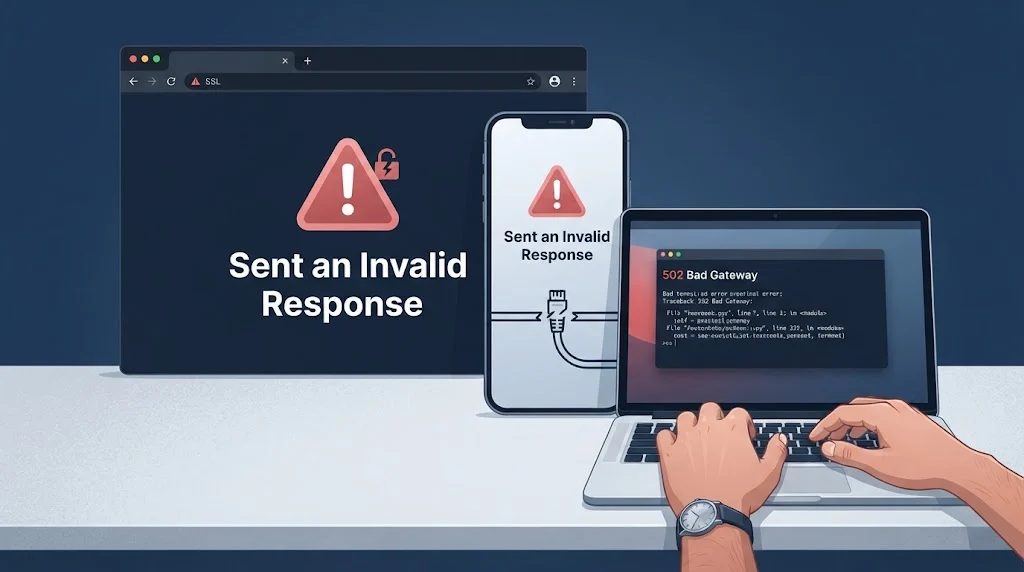
“Sent an invalid response” means a client reached a server, but the reply was not in a valid format. Common causes include SSL/TLS handshake failures, malformed JSON, HTML error pages, and proxy interference. Fix it by checking the protocol, validating the response format, and adding proper error handling.
You open a website or call an API, and instead of the expected content, you get a blunt message: “This site sent an invalid response.” The browser offers no useful detail. You check your connection. It is fine. So what went wrong?
This error appears in browsers, mobile apps, and API clients. It means a request completed but the reply could not be accepted. The server sent something, but it was not valid. That could be a broken SSL handshake, an HTML error page where JSON was expected, or a response cut off mid-transfer.
For developers, this is a debugging signal and For support teams, it is a chance to explain the issue clearly and guide the user. For everyday users, it is a puzzle with a handful of reliable fixes. This article covers what causes the error, how to diagnose it across different environments, and what to say when you need to respond professionally.
What Does “Sent an Invalid Response” Actually Mean?
When a client talks to a server, it follows a strict protocol. The client sends a request. The server processes it and returns a response. The client reads that response and checks whether it matches the expected format.
The message “sent an invalid response” means the response arrived but failed that check. The connection worked. The data did not.
This is different from a network error, where no response arrives at all. Here, the server is reachable. The problem is in the content, the format, or the security layer.
The error can originate from several places. A development server may be running HTTP while the browser tries HTTPS. A live site may have an expired certificate. An API may return HTML because an error handler was not configured for JSON. A proxy may inject its own error page. Each cause has a different fix.
Understanding the context is the first step. The error looks similar in every browser, but the underlying issue varies widely.
The Most Common Causes of “Sent an Invalid Response”
Most instances of this error trace back to one of a few root causes. Recognizing them speeds up diagnosis.
- SSL/TLS handshake failure: The browser tried to establish a secure connection, but the server responded with something that was not a valid TLS handshake. Chrome labels this as
ERR_SSL_PROTOCOL_ERROR. - HTTP vs HTTPS mismatch: A local development server runs plain HTTP, but the browser is forced to use HTTPS. This is one of the most common causes on
localhost. - Malformed response body: The server returned JSON, XML, or another format, but the data had syntax errors, missing fields, or was truncated.
- Wrong content type: The server sent
text/htmlwhen the client expectedapplication/json. This often happens when an error page is returned instead of an API error. - Empty response: The server returned a 200 status code with an empty body. The client tried to parse nothing.
- Proxy or gateway interference: A reverse proxy received an invalid response from an upstream server. This is often logged as a 502 error.
- Cached HSTS rules: A browser may have cached a rule that forces HTTPS on a domain that only supports HTTP.
- Antivirus or firewall HTTPS scanning: Security software can intercept and modify HTTPS traffic, breaking the handshake.
- Incorrect system date and time: Certificate validation depends on the system clock. A wrong clock causes certificate errors.
In practice, the cause is often a combination. For example, a stale HSTS rule forces HTTPS, the dev server only supports HTTP, and the browser reports an invalid response. Fixing one layer resolves the error.
How to Diagnose the Error in Different Environments
The same message appears in browsers, mobile apps, and API clients, but the diagnostic steps differ. Start by identifying where the error occurs.
In a Browser
Open Chrome DevTools. Go to the Network tab. Reload the page and find the failing request. Look at three things:
- Status code: A 4xx or 5xx indicates a server-side issue. A failed request with no status often means the connection was blocked before a response was received.
- Response headers: Check the
Content-Type. If it saystext/htmland you expected JSON, that is the problem. - Response body: View the raw response. If it is an HTML error page, a login redirect, or empty, you have found the cause.
Also check the Security tab in DevTools. It shows whether the TLS handshake succeeded and details about the certificate.
In a Mobile App or API Client
Log the raw response before parsing. Print the status code, headers, and body. If the response is empty or malformed, the log will reveal it.
Use curl or Postman to replicate the request outside the app. This removes client-side variables and shows what the server actually sends.
On a Server
Check the logs of your web server, application server, and any proxy or load balancer. A 502 error in the proxy log often indicates that the upstream server returned something invalid.
Enable diagnostic logging if available. For example, Azure App Service provides diagnostic logs that can identify the cause of 502 errors.
Look for patterns. If the error only happens on a specific endpoint, the issue is likely in that handler. If it happens across all endpoints, the problem may be in the server configuration, SSL setup, or a proxy layer.
How to Fix “Sent an Invalid Response” on Localhost
Local development environments are the most common source of this error. The fixes are usually straightforward.
Switch to HTTP. If your dev server runs plain HTTP, access it with http://localhost:3000 instead of https://localhost:3000. The app.listen method in Express, for example, creates an HTTP server, not an HTTPS server.
Clear HSTS rules. Chrome may have cached an HSTS rule that forces HTTPS on localhost. Open chrome://net-internals/#hsts, delete the localhost domain under “Delete domain security policies”, and restart Chrome.
Try 127.0.0.1 instead of localhost. Sometimes the hostname resolution causes issues. Using the IP address directly can bypass them.
Check the protocol and port. Verify in your terminal that the server is running on the expected protocol and port. A mismatch between the configured port and the URL causes connection failures.
Use a trusted local certificate. If you truly need HTTPS locally, use a tool like mkcert to generate a certificate that the browser trusts. This avoids the self-signed certificate warning.
Disable antivirus HTTPS scanning temporarily. Security software can intercept local HTTPS traffic and break the handshake. Test with it disabled to confirm.
How to Fix “Sent an Invalid Response” on Live Sites
Live site errors usually involve SSL, proxies, or server configuration. The fixes require access to the server or hosting environment.
Check the SSL certificate. An expired, misconfigured, or missing certificate causes the handshake to fail. Use an SSL checker to verify the certificate chain and expiry date.
Review server TLS settings. Ensure the server supports the TLS versions and cipher suites that modern browsers require. Disabling outdated protocols like TLS 1.0 and 1.1 improves security and compatibility.
Inspect proxy and load balancer configuration. A reverse proxy may be misconfigured or unable to reach the upstream server. Check the proxy logs for 502 errors and verify the upstream URL and port.
Fix error handling for API routes. If an API endpoint returns an HTML error page instead of JSON, the client will report an invalid response. Configure your framework to return structured JSON errors for API routes, even for 500 errors.
Clear CDN cache. A CDN may be serving a stale or corrupted response. Purge the cache and verify that the origin server returns valid content.
Test with the origin server directly. Bypass the CDN or proxy by sending requests directly to the origin IP. If the direct request works, the issue is in the proxy layer.
Server-Side Fixes for Invalid Responses
If the server is sending invalid data, these fixes address the root cause.
Set the correct content type. Always return Content-Type: application/json for JSON responses. Never let an HTML error page reach an API client.
Handle exceptions before they reach the client. Use middleware to catch errors and return structured JSON responses. A stack trace or HTML error page should never be the final output for an API call.
Validate outgoing data. Check that the data you serialize is valid. Watch for circular references, undefined values, and encoding issues.
Handle empty responses gracefully. If an operation returns no data, return a 204 No Content status with an empty body, not a 200 with a malformed body.
Version your API. When the response schema changes, version the endpoint. This prevents old clients from breaking when the format changes.
Test with the same client your users use. A response that works in Postman may fail in a mobile app due to different parsing rules or stricter validation.
Client-Side Fixes for Invalid Responses
If the problem is in how the client handles responses, these fixes apply.
Check the content type before parsing. Verify that the response is the expected format. If it is HTML, treat it as an error instead of trying to parse it.
Wrap parsing in a try-catch block. Never parse without error handling. Catch the exception, log the raw response, and return a clear error.
Validate the schema. Use a schema validation library to confirm that the response matches expectations. This catches missing fields and type mismatches early.
Add retry logic with exponential backoff. If the error is transient, such as a network interruption or a temporary server issue, retry the request. Increase the wait time after each failure.
Set reasonable timeouts. A request that hangs forever may eventually return partial data. Set a timeout and handle it explicitly.
Handle empty responses. Check if the body is empty before parsing. Return a default value or a clear error if it is.
Clear cache and cookies. Stale data can cause validation failures. Clearing cache often resolves user-facing issues.
Sent an Invalid Response: Replies for Developers and IT Teams
When this error appears in logs or tickets, clear communication speeds up the fix. Here are examples of replies for team chats, tickets, and incident updates.
Seeing invalid response errors on the /checkout endpoint. Logging the raw response to check the format.
Use this when you first notice the error and are starting to investigate.
Meaning: The team knows the issue is being looked at and where to focus.
The dev server is running HTTP but the browser is forcing HTTPS. Clearing HSTS rules for localhost.
Use this when a local development environment is the cause.
Meaning: The problem is understood and a specific fix is in progress.
The proxy is returning a 502 because the upstream server sent an invalid response. Checking the upstream health.
Use this when a gateway or proxy is involved.
Meaning: The investigation is moving to the upstream server.
Malformed JSON from the /orders endpoint. Deploying a patch to fix the serializer.
Use this when the bug is in the server code.
Meaning: The root cause is identified and a fix is ready.
Error was transient. Retrying with exponential backoff resolved it. No code change needed.
Use this when the issue was network-related.
Meaning: The problem is resolved and the fix is in the retry logic.
The CDN is caching an old error page. Purging the cache and updating caching rules.
Use this when a CDN or proxy is serving stale content.
Meaning: The fix is in the infrastructure configuration.
Found a missing content type header on API error responses. Adding the JSON header to all error handlers.
Use this when the server returns HTML for API errors.
Meaning: The client will receive valid JSON even when errors occur.
Post-incident: invalid response errors resolved by validating response format before parsing. No data loss.
Use this for a final update after the issue is fixed.
Meaning: The incident is closed and the outcome is clear.
Sent an Invalid Response: Replies for Customer Support
Customers do not need technical details. They need a clear explanation and a next step.
We could not process the server’s response. Please try again in a few minutes.
Use this for a general invalid response error on a website or app.
Meaning: The user gets a simple instruction without jargon.
This error usually means the connection was interrupted. Please check your internet and retry.
Use this when a network issue is likely.
Meaning: The user understands the likely cause and has an action.
Try clearing your browser cache and cookies, then reload the page.
Use this for browser-based errors.
Meaning: The user gets a specific troubleshooting step.
Please make sure you are using the latest version of the app.
Use this when an outdated client is the likely cause.
Meaning: The user knows to update.
Your session may have expired. Please log out, log back in, and try again.
Use this when an expired session is the likely cause.
Meaning: The user knows how to re-authenticate.
If the error continues, please send us a screenshot. It helps us investigate.
Use this when you need more information.
Meaning: The user is invited to help without being blamed.
We are aware of an intermittent issue affecting some users. Our team is working on a fix.
Use this during an ongoing issue.
Meaning: The user knows the problem is acknowledged.
Thank you for your patience. The issue has been resolved. Please try again.
Use this for a final update.
Meaning: The user is informed that the issue is closed.
Common Mistakes When Handling This Error
Even experienced teams make mistakes with invalid response errors. Here are the most common ones.
Assuming it is always the server’s fault. Sometimes the client is too strict or expects the wrong format. Check both sides.
Ignoring the raw response. Without seeing the actual data, you are guessing. Always log it.
Not setting the correct content type. A server that returns HTML for an API route causes this error. Set the header properly.
Skipping error handling. A validation error without a try-catch block crashes the app. Always handle it.
Retrying without understanding. If the response is malformed, retrying will not help. Fix the data first.
Blaming the user. An invalid response is a technical issue. The user did nothing wrong.
Forgetting to test after a fix. Always verify that the change resolved the issue and did not create new ones.
Not versioning the API. Changing a schema without versioning breaks old clients. Plan for compatibility.
Best Practices for Preventing Invalid Response Errors
Prevention is better than debugging. These practices reduce the chance of this error appearing.
Use a shared schema. Define your response format in one place. Both client and server should reference it.
Validate on both sides. The server validates outgoing data. The client validates incoming data. Both catch problems early.
Return consistent errors. All API errors should return JSON, even 500 errors. Never return HTML for API routes.
Handle session expiry gracefully. Return a JSON 401 error instead of redirecting to a login page.
Test with multiple clients. A response that works in one client may fail in another. Test with different languages and libraries.
Monitor invalid response rates. Set up alerts for this error. A spike usually indicates a server-side change.
Document the response format. Clear documentation helps clients handle responses correctly.
Use graceful degradation. If validation fails, the app should show a helpful message instead of crashing.
FAQs
What does “sent an invalid response” mean in simple terms?
It means your browser or app reached the server, but the reply was not in a valid format. The connection worked. The content did not. This often happens with SSL handshake failures or malformed API responses.
Why does this error appear on localhost?
Localhost errors almost always happen because the browser is forcing HTTPS while the dev server runs plain HTTP. Switch to http://localhost:3000 instead of https://localhost:3000 to fix it.
Is this error the client’s fault or the server’s fault?
It can be either. The server may send malformed data or an HTML error page. Or the client may expect the wrong format. Often, both sides contribute.
How do I fix ERR_SSL_PROTOCOL_ERROR?
This error indicates an SSL/TLS handshake failure. Check the protocol (HTTP vs HTTPS), clear HSTS rules, verify the certificate, and ensure your system clock is correct.
Can a proxy cause this error?
Yes. A reverse proxy or load balancer may receive an invalid response from an upstream server and return a 502 error. Check the proxy logs and verify the upstream server is healthy.
What should I do if the error is intermittent?
Log the raw response when it happens. Look for patterns, such as a specific endpoint or time of day. Intermittent errors often point to network issues or load balancer behavior.
How do I handle this error in JavaScript?
Check the content type before parsing. Wrap the parsing call in a try-catch block. Log the raw response text before parsing. If parsing fails, return a clear error.
How can I prevent this error in the future?
Use consistent content types, validate on both sides, version your API, and monitor error rates. Test with real clients, not just API tools.
Conclusion
“Sent an invalid response” is a signal that something in the communication chain broke. By inspecting the raw response, fixing the format, and adding proper error handling, you can resolve it quickly. Whether you are debugging code or helping a frustrated user, the right response turns confusion into action.
Read More Related Articles :
- 150+ Automatic Response Text Messages The Ultimate Guide to Auto Replies That Don’t Suck In 2026
- 150+ Automatic Response Outlook Messages: The Ultimate Guide to Auto Replies That Actually Work
- 130+ Best Replies For Every Email Response Time Tracking Situation In 2026

Robert Bennett is a passionate writer and blogger who turns everyday ideas into engaging stories and thoughtful insights.
Writing for RespondLabs.com, he brings a clear, relatable voice to topics that matter.