Quick Answer
Yes, 1ms response time is good for gaming, especially competitive shooters. It reduces ghosting and motion blur. But the claim only matters if it is GtG, not MPRT. For everyday use like browsing and office work, 1ms makes little practical difference.
You are looking at two monitors. One says “1ms response time.” The other says “5ms.” The 1ms model costs more. You want to know if it is worth it.
The answer depends on what you do with your screen. For competitive gaming, 1ms is genuinely useful. It keeps fast-moving objects sharp and reduces the smearing that makes targets hard to track. For watching movies, writing documents, or browsing the web, 1ms is overkill. A 5ms monitor looks identical.
But there is another layer to this. Not all “1ms” claims are equal. Some monitors quote GtG response time, which measures actual pixel speed. Others quote MPRT, which uses backlight strobing to reduce perceived blur. One is a real performance metric. The other is a technique with trade-offs.
This article explains when 1ms response time is good, when it is not, and how to tell whether a monitor’s claim is genuine.
What Does 1ms Response Time Actually Mean?
Response time measures how quickly a pixel can change from one color to another. It is measured in milliseconds (ms). The lower the number, the faster the pixel transition.
When a monitor advertises “1ms response time,” it is claiming that its pixels can complete a transition in one millisecond. In theory, that means fast-moving objects stay sharp and clear on screen. Ghosting and motion blur are minimized.
In practice, the claim needs context. There are two different measurements that both get called “1ms response time.” They are not the same thing, and they do not deliver the same experience.
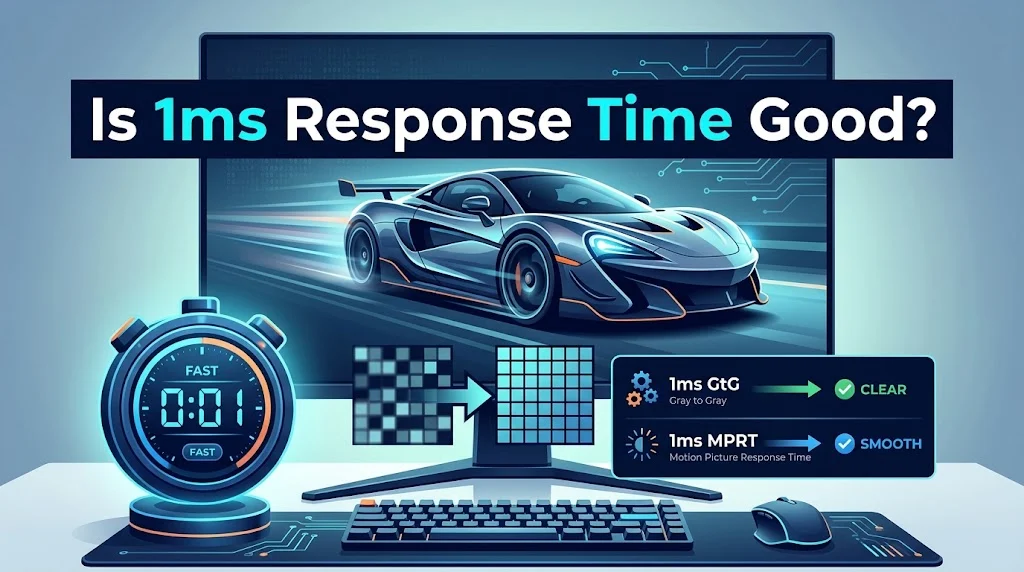
GtG (grey-to-grey) measures how fast a pixel changes from one shade of grey to another. It is the industry-standard measure of raw pixel speed. A 1ms GtG rating is a direct claim about panel performance.
MPRT (moving picture response time) measures how long a pixel remains visible on screen. It is achieved through backlight strobing, which inserts black frames between refreshes to reduce perceived blur. A 1ms MPRT rating is not about pixel speed. It is about blur reduction.
A monitor quoting 1ms GtG has genuinely fast pixels. A monitor quoting 1ms MPRT uses a technique that can look smooth but often reduces brightness and may cause flicker.
Is 1ms Response Time Good for Gaming?
For gaming, yes. A 1ms GtG response time is good, especially for fast-paced genres.
Here is why. When you move your mouse quickly in a shooter, the image on screen shifts. If pixels are slow to change, the old image lingers for a moment. You see a faint trail behind moving objects. That trail is ghosting. It makes targets harder to track and can cost you a kill.
A 1ms monitor minimizes ghosting. The image stays crisp during fast movement. Tracking feels more precise. Reaction time improves because you can see clearly what you are aiming at.
Competitive gamers notice less trailing and sharper visuals on a 1ms monitor compared to a 5ms screen during rapid turns. The difference is most noticeable in genres where split-second decisions matter: first-person shooters, racing games, and fast-paced action titles.
But response time does not work alone. It pairs with refresh rate. A 1ms response time on a 60Hz monitor is wasted because the frame stays on screen for 16.7ms regardless of how fast the pixel changes. For competitive play, a 1ms GtG monitor with a 144Hz or higher refresh rate is the practical target.
Is 1ms Response Time Good for Everyday Use?
For everyday use, 1ms is not necessary. It does not hurt, but it does not help either.
If you use your monitor for browsing, writing documents, watching videos, or light gaming, a 5ms response time is perfectly fine. You will not notice ghosting during normal desktop use. Even video playback rarely stresses pixel response time enough to create visible blur.
The practical difference between 1ms and 5ms appears only during fast motion. Scrolling through a document quickly might show a slight smear on a 5ms monitor, but it is subtle and rarely distracting. Watching an action movie might show a faint trail during rapid pans, but most viewers do not notice.
If you are buying a monitor primarily for work or media consumption, spend your budget on resolution, color accuracy, and panel quality instead of chasing 1ms. A 4K IPS monitor with 5ms response time will serve you better than a 1080p TN panel with 1ms.
Is 1ms Response Time Good for Console Gaming?
Yes, but with caveats. Console gaming is often limited to 60Hz or 120Hz. A 1ms response time still reduces ghosting, but the lower refresh rate means motion clarity is limited by the refresh cycle, not just pixel speed.
For console gaming, look for a 1ms GtG monitor with HDMI 2.1 support if you are on a PS5 or Xbox Series X. This allows 120Hz at higher resolutions. The combination of fast pixels and high refresh rate delivers the best experience.
If you are on a older console limited to 60Hz, a 1ms response time provides a modest benefit. The difference between 1ms and 5ms at 60Hz is less noticeable than at 144Hz or higher.
GtG vs MPRT: Which 1ms Claim Is Better?
GtG is the better claim. It measures actual pixel speed and does not come with the trade-offs of backlight strobing.
MPRT can look smooth, but it often reduces brightness and may introduce flicker. Some users are sensitive to the flicker and find it uncomfortable. MPRT is also typically incompatible with variable refresh rate technologies like G-Sync and FreeSync, which means you lose adaptive sync when strobing is enabled.
A well-tuned 1ms GtG monitor delivers excellent motion clarity without those compromises. It works alongside adaptive sync to deliver smooth, tear-free gaming.
If a monitor advertises “1ms” without specifying the type, it is likely MPRT. Look for “1ms GtG” explicitly. If the spec sheet does not say, check independent reviews from sites like RTINGS or Blur Busters.
What About 0.5ms and 0.03ms?
You will see monitors advertising response times below 1ms. These numbers need context.
A 0.5ms rating is typically an MPRT measurement enabled by backlight strobing. It does not mean the pixels are twice as fast as a 1ms GtG panel. In practice, a monitor advertising 0.5ms MPRT alongside 1ms GtG performs identically to a standard 1ms GtG monitor in any variable refresh rate gaming session.
OLED monitors are different. Because OLED pixels emit their own light, they can turn on and off almost instantly. OLED response times are measured in microseconds, often quoted as 0.03ms GtG. That is a genuine measurement, not marketing. OLED motion clarity is excellent, though OLED panels have other considerations like burn-in risk and cost.
For most gamers, 1ms GtG is the sweet spot. Going below that yields diminishing returns unless you are pairing it with a very high refresh rate and playing at a competitive level.
Does Panel Type Affect Response Time?
Yes. Panel type is one of the biggest factors in response time performance.
TN (Twisted Nematic): Historically the fastest panels. TN monitors have delivered 1ms GtG for years. They have poor colors and narrow viewing angles, but they remain popular for competitive gaming.
Fast IPS (In-Plane Switching): Fast IPS panels have caught up to TN in response time. They now deliver 1ms GtG with much better colors and wider viewing angles. Fast IPS is the best all-around choice for most gamers.
VA (Vertical Alignment): VA panels have the best contrast but are slower and more prone to ghosting. Some high-end VA models have improved, but they still lag behind TN and IPS in response time.
OLED (Organic Light-Emitting Diode): OLED panels offer the fastest response times of all because the pixels emit their own light. Response times are measured in microseconds. OLED is excellent for motion clarity, but it comes at a higher price and with burn-in risk.
If you want 1ms response time, look for a Fast IPS or TN panel. OLED is even faster if your budget allows.
How to Tell If a Monitor’s 1ms Is Real
Monitor marketing is notorious for vague specs. Here is how to verify a 1ms claim.
Look for “GtG” explicitly. If the spec sheet says “1ms GtG,” it is a real pixel-speed claim. If it only says “1ms response time” without specifying the type, it is likely MPRT.
Check third-party reviews. Sites like RTINGS and Blur Busters test response time independently. They provide ghosting test images and measured GtG values. Manufacturer specs can be optimistic. Independent testing is more reliable.
Be skeptical of extremely low numbers. A monitor advertising “0.5ms” is almost certainly quoting MPRT, not GtG. True GtG response times below 1ms are rare and usually found only on OLED panels.
Look for overdrive settings. Most gaming monitors let you adjust overdrive in the OSD menu. The “Faster” or “Extreme” setting usually produces the lowest GtG time, but it may also introduce inverse ghosting. The “Normal” setting often provides the best balance.
Check the panel type. TN and Fast IPS panels are the most likely to deliver genuine 1ms GtG. VA panels are slower. OLED is faster.
What Matters More Than Response Time?
Response time is important, but it is not the only spec that matters. For most gamers, refresh rate and adaptive sync have a bigger impact on perceived smoothness.
Refresh rate. A 144Hz monitor refreshes the screen 144 times per second. A 60Hz monitor refreshes 60 times. Higher refresh rates make motion look smoother and reduce input lag. A 144Hz monitor with 5ms response time often feels smoother than a 60Hz monitor with 1ms.
Adaptive sync. G-Sync and FreeSync eliminate screen tearing and stutter by syncing the monitor’s refresh rate to your GPU’s frame rate. This is one of the most noticeable improvements in gaming.
Resolution. Higher resolution means sharper images but more demand on your GPU. 1080p is standard for competitive play. 1440p is a good middle ground. 4K is better for visual quality than competitive advantage.
Color accuracy and contrast. For immersive single-player games, color and contrast matter more than 1ms response time. A monitor with great colors and 5ms response time may deliver a better experience than a washed-out TN panel with 1ms.
Input lag. Response time is not the same as input lag. Input lag is the delay between your action and the screen displaying the result. A monitor can have fast response time and still have noticeable input lag.
For most gamers, the priority order is: refresh rate, adaptive sync, response time, resolution, color accuracy. Response time matters, but it is not the first thing to optimize.
When Is 1ms Response Time Not Good?
There are situations where 1ms response time is not the right priority.
If you are on a budget. A 1ms monitor often costs more than a 5ms monitor with better colors and resolution. If you are not a competitive gamer, spend the extra money on a better panel instead.
If you do mostly office work. Spreadsheets, documents, and email do not benefit from 1ms response time. A 5ms IPS monitor with good color accuracy is a better choice.
If you watch a lot of movies. Film is typically 24 frames per second. A 1ms response time does not improve the experience. Color accuracy and contrast matter more.
If you are sensitive to flicker. MPRT-based 1ms monitors use backlight strobing, which can cause flicker. If you are sensitive to flicker, a GtG-based monitor is a better choice.
If you need accurate colors. TN panels with 1ms response time often have poor color accuracy. If color matters for your work, choose an IPS panel even if its response time is 4ms or 5ms.
How to Choose a Monitor Based on Your Needs
Here is a simple guide to matching response time to your use case.
| Use Case | Recommended Response Time | Priority Specs |
|---|---|---|
| Competitive gaming | 1ms GtG | Refresh rate, response time |
| Casual gaming | 4ms to 5ms | Refresh rate, color accuracy |
| Office work | 5ms to 8ms | Resolution, color accuracy |
| Content creation | 5ms to 8ms | Color accuracy, resolution |
| Movie watching | 5ms to 8ms | Contrast, color accuracy |
| Mixed use | 1ms to 5ms | Balance of all specs |
For competitive gamers, 1ms GtG is worth the investment. For everyone else, a 5ms monitor with better colors and resolution is often the smarter buy.
Common Mistakes When Buying a 1ms Monitor
Assuming all “1ms” claims are equal. A 1ms MPRT rating and a 1ms GtG rating are not the same. Always check which metric is being quoted.
Ignoring refresh rate. A 1ms response time on a 60Hz monitor does not deliver the same experience as 1ms on a 240Hz monitor. Response time and refresh rate work together.
Buying for the spec sheet instead of the experience. A monitor with a slightly slower response time but better colors, build quality, and overdrive tuning may be a better choice than one that wins on paper.
Forgetting about overdrive artifacts. The fastest overdrive setting often introduces inverse ghosting. A slightly slower setting with cleaner motion may look better in practice.
Neglecting your GPU. A 1ms 360Hz monitor is wasted if your graphics card cannot push high frame rates. Match the monitor to your system.
Overlooking ergonomics and build quality. A monitor is something you look at for hours. Stand adjustment, VESA mounting, and panel uniformity matter as much as response time for long-term satisfaction.
Copy-Ready Checklist for Buying a 1ms Monitor
Use this checklist before you buy.
text
[ ] Spec sheet says "1ms GtG," not just "1ms"
[ ] Refresh rate is 144Hz or higher (for gaming)
[ ] Adaptive sync supported (G-Sync or FreeSync)
[ ] Panel type is Fast IPS, TN, or OLED
[ ] Independent reviews confirm low ghosting
[ ] Overdrive settings are tunable
[ ] Resolution matches your GPU's capabilities
[ ] Ports include DisplayPort or HDMI 2.1
[ ] Stand is adjustable or VESA mountable
[ ] Price fits your budget without sacrificing other specs
Is 1ms Response Time Good: Frequently Asked Questions
Is 1ms response time good for gaming?
Yes. A 1ms GtG response time reduces ghosting and motion blur, making fast-moving objects clearer and easier to track. It is most beneficial in competitive shooters, racing games, and other fast-paced genres.
Is 1ms response time better than 5ms?
For gaming, yes. The difference is noticeable during fast motion. For everyday use like browsing, writing, or watching videos, the difference is minimal. A 5ms monitor with better colors may be a better choice for non-gaming use.
Is 1ms GtG better than 1ms MPRT?
Yes. GtG measures actual pixel speed and does not come with the trade-offs of backlight strobing. MPRT uses strobing to reduce perceived blur but often reduces brightness and may cause flicker.
Can I see the difference between 1ms and 5ms?
In fast-moving games, yes. A 5ms monitor may show visible ghosting or trailing behind moving objects. A 1ms monitor keeps those objects crisp. The difference is most noticeable in competitive shooters.
Does 1ms response time reduce input lag?
No. Response time and input lag are different metrics. Response time is how fast a pixel changes color. Input lag is the delay between your action and the monitor displaying the result. A fast response time contributes to a clearer image, but it does not directly reduce input lag.
Is 1ms response time good for console gaming?
Yes, but console gaming is often limited to 60Hz or 120Hz. A 1ms response time still reduces ghosting, but the lower refresh rate means motion clarity is limited by the refresh cycle. For console gaming, a 1ms GtG monitor with HDMI 2.1 is a solid choice.
What panel type is best for 1ms response time?
Fast IPS panels offer the best all-around balance of speed, color, and viewing angles. TN panels are still the fastest but have worse colors. VA panels are slower and more prone to ghosting. OLED panels offer the fastest response times of all but are more expensive.
Should I choose 1ms GtG or 1ms MPRT?
Choose 1ms GtG. It is the more authentic measure of panel performance and does not come with the trade-offs of backlight strobing. A well-tuned 1ms GtG monitor delivers excellent motion clarity without reducing brightness or causing flicker.
Conclusion
Is 1ms response time good? For competitive gaming, yes. It reduces ghosting and keeps fast motion clear. For everyday use, it is not necessary. The key is knowing which type of 1ms you are buying. GtG is real pixel speed. MPRT is blur reduction with trade-offs. Check the spec, read independent reviews, and match the monitor to your actual needs. When you do, 1ms becomes more than a marketing number.
Read More Related Articles :
- 350+ Cold Emails That Get Responses | Proven Templates, Tips & Examples In 2026
- 350+ How to Calculate Response Rate | Formula, Examples & Easy Guide In 2026
- 350+ Cold Email Response Rate | Benchmarks, Averages & Ways to Improve In 2026

Robert Bennett is a passionate writer and blogger who turns everyday ideas into engaging stories and thoughtful insights.
Writing for RespondLabs.com, he brings a clear, relatable voice to topics that matter.